
Python Variables Explained: A Beginner's Guide with Examples
Introduction
Imagine you want your Python program to remember someone's name, age, marks, or even the price of a product.
How can a program store this information?
That's where variables come in.
Variables are one of the first concepts you'll learn when starting Python. They allow you to store information and use that information later in your program.
For example:
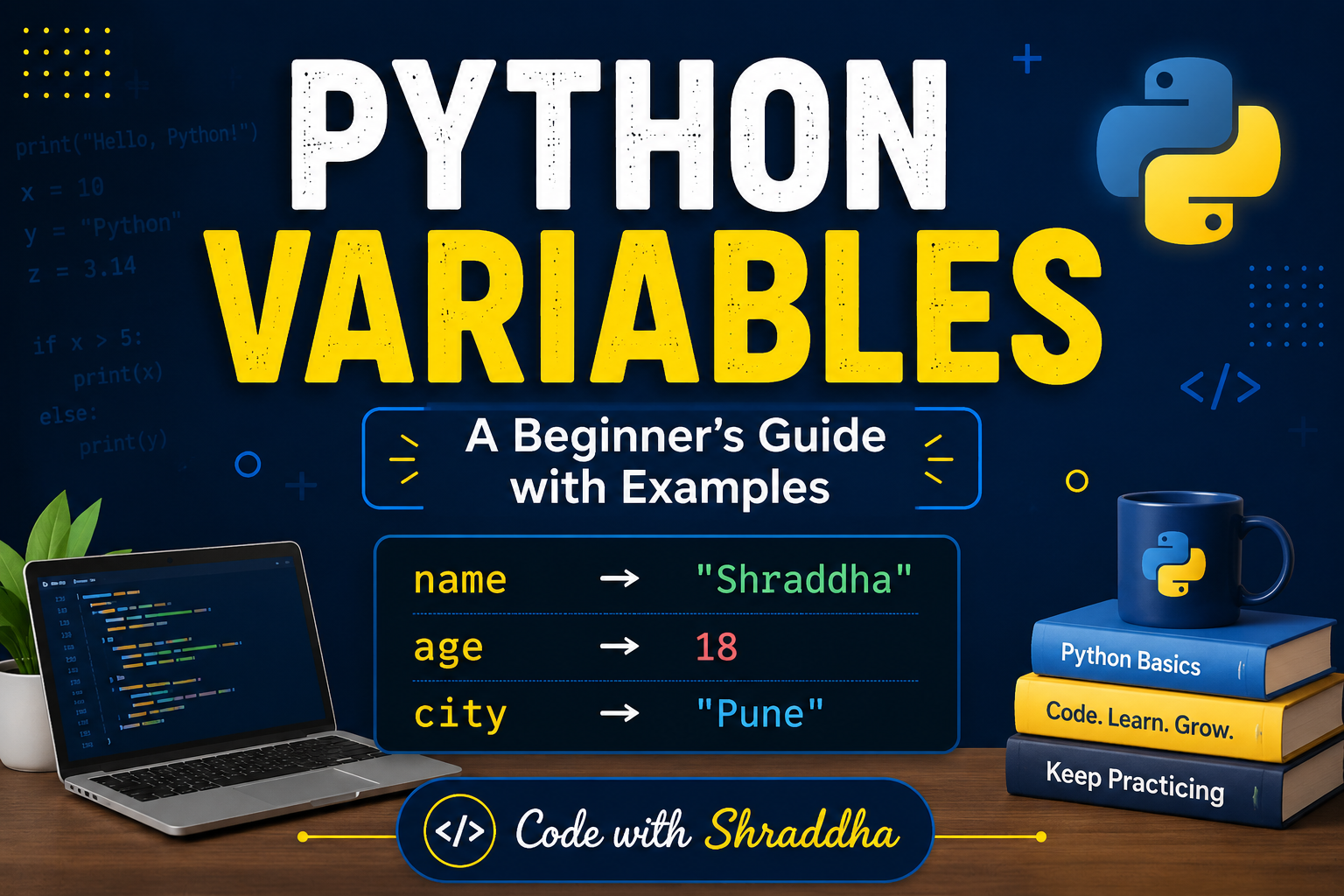
name = "Shraddha"
age = 18
Here, Python stores "Shraddha" in the variable name and 18 in the variable age.
In this article, you'll learn:
• What a variable is
• How to create a variable in Python
• How Python stores values
• Different types of values variables can hold
• Rules for naming variables
• Multiple variable assignment
• How to change a variable's value Common mistakes beginners make
• Practical examples
Let's get started! 🚀
What Is a Variable in Python?
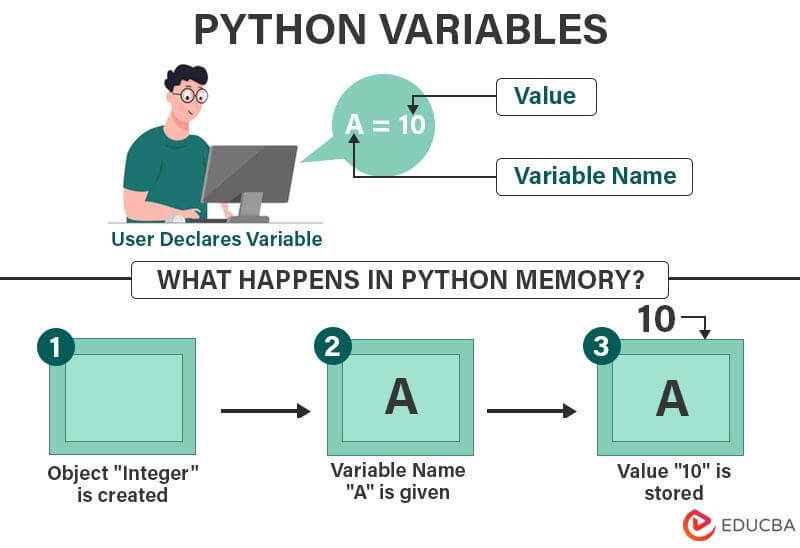
A variable is a name used to refer to a value stored by a program.
You can think of a variable as a labeled box.
For example:
name → │ Shraddha │
The label is name, and the value stored inside it is "Shraddha".
In Python, you create a variable by assigning a value to a name:
name = "Shraddha"
Here:
name → variable
= → assignment operator
"Shraddha" → value
You can then use the variable:
print(name)
Output :
Shraddha
💡 Think of it this way:
A variable gives your program a name for a piece of information.
How to Create a Variable in Python
Python doesn't require you to declare the data type of a variable before using it.
For example:
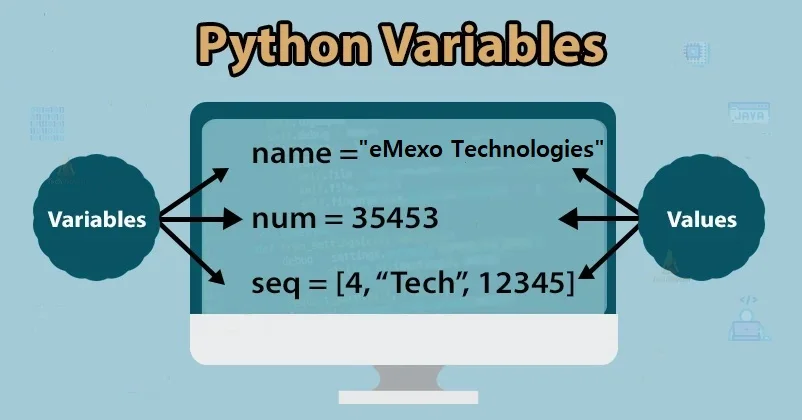
name = "Shraddha"
age = 18
marks = 85.5
Python automatically determines the type of value being assigned.
Let's check them:
print(name)
print(age)
print(marks)
Output :
Shraddha
18
85.5
This makes Python's syntax simple for beginners.
Understanding the Assignment Operator =
One common mistake beginners make is thinking that = means "equal to" in the mathematical sense.
In Python, = is primarily used for assignment.
For example:
age = 18
This means:
Store the value 18 in the variable age.
You can later change the value:
age = 19
Now age contains 19.
print(age)
Output
19
The variable has been updated.
Variables Can Store Different Types of Values
Python variables can refer to different types of data.
- String
A string stores text.
name = "Shraddha"
2**. Integer**
An integer stores a whole number.
age = 18
3. Float
A float stores a decimal number.
percentage = 86.59
4. Boolean
A Boolean represents either True or False.
is_student = True
These are some of the basic data types you'll frequently use in Python.
How to Check the Type of a Variable
Python provides a built-in function called type().
For example:
name = "Shraddha"
age = 18
percentage = 86.59
print(type(name))
print(type(age))
print(type(percentage))
Output
<class 'str'>
<class 'int'>
<class 'float'>
This tells us:
name is a string age is an integer percentage is a float Changing the Value of a Variable
Variables don't have to keep the same value.
For example:
city = "Aagra"
print(city)
city = "Mumbai"
print(city)
Output
Aagra
Mumbai
The value stored in city changed from "Aagra" to "Mumbai".
This is useful when your program needs to work with information that changes.
Can a Variable Change Its Data Type?
Yes.
Python is dynamically typed, so a variable can refer to a value of a different type later.
For example:
value = 10
print(value)
value = "Python"
print(value)
Output
10
Python
Initially, value refers to an integer.
Later, it refers to a string.
Although Python allows this, beginners should still choose meaningful variable usage to keep their programs easy to understand.
Rules for Naming Variables in Python
Python has some rules you need to follow when naming variables.
Rule 1:
A variable name can contain letters, numbers, and underscores. student_name = "Shraddha"
student_age = 18
Rule 2:
A variable name cannot start with a number.
❌ Incorrect:
1name = "Shraddha"
✅ Correct:
name1 = "Shraddha"
Rule 3:
Don't use spaces.
❌ Incorrect:
student name = "Shraddha"
✅ Correct:
student_name = "Shraddha"
Rule 4:
Python is case-sensitive.
These are different variables:
name = "Shraddha"
Name = "Rahul"
name and Name are not the same.
Rule 5:
Don't use Python keywords as variable names.
For example, don't use names such as:
if for class while def
These words already have special meanings in Python.
Good Variable Names vs Bad Variable Names
Compare these:
❌ Not very descriptive
x = 18
y = 86.5
z = "Shraddha"
✅ More descriptive
age = 18
percentage = 86.5
student_name = "Shraddha"
Both may work, but descriptive names make your code much easier to understand.
A useful rule:
Your variable name should tell the reader what the value represents.
Assigning Multiple Variables
Python allows you to assign values to multiple variables in one line.
For example:
name, age, city = "Shraddha", 18, "Pune"
Now:
print(name)
print(age)
print(city)
Output
Shraddha
18
Pune
You can also assign the same value to multiple variables:
x = y = z = 0
Now all three variables contain 0.
A Practical Example: Student Information
Let's combine what we've learned.
student_name = "Shraddha"
age = 18
percentage = 86.59
is_student = True
print("Name:", student_name)
print("Age:", age)
print("Percentage:", percentage)
print("Student:", is_student)
Output
Name: Shraddha
Age: 18
Percentage: 86.59
Student: True
This is a simple example of how variables can represent information about a student.
A Real-World Example: Shopping Cart
Variables aren't only useful for student programs.
Imagine an online shopping application.
You might have:
product = "Laptop"
price = 55000
quantity = 2
total = price * quantity
print("Product:", product)
print("Total:", total)
Output
Product: Laptop
Total: 110000
Here, variables help the program remember the product, price, quantity, and total amount.
This is how simple programming concepts eventually become part of larger real-world applications.
Common Mistakes Beginners Make
1.Using spaces in variable names
❌
student name = "Shraddha"
✅
student_name = "Shraddha"
2. Starting with a number
❌
2name = "Python"
✅
name2 = "Python"
3. Forgetting quotation marks for strings
❌
name = Shraddha
Python will interpret Shraddha as a variable name.
✅
name = "Shraddha"
4. Confusing uppercase and lowercase
name = "Shraddha"
print(Name)
This can produce an error because name and Name are different.
Best Practices for Naming Variables
Following a few simple habits can make your code much cleaner.
Use descriptive names
student_name = "Shraddha"
instead of:
x = "Shraddha"
Use snake_case
Python programmers commonly use lowercase words separated by underscores:
student_name
total_price
phone_number
Keep names readable
Avoid unnecessarily complicated names such as:
the_name_of_the_student_who_is_registered = "Shraddha"
Prefer:
student_name = "Shraddha"
Simple is better.
Frequently Asked Questions What is a variable in Python?
A variable is a name that refers to a value used by a program.
Do I need to declare a variable type in Python?
No. Python determines the type of value when you assign it.
For example:
age = 18
Python recognizes age as referring to an integer value.
Can I change a variable's value?
Yes.
age = 18
age = 19
The variable now refers to 19.
Are Python variable names case-sensitive?
Yes.
name
Name
are treated as different names.
Can a variable name contain numbers?
Yes, but it cannot begin with a number.
✅
student1
❌
1student
Practice Challenge 🧩
Now it's your turn !
Create a Python program that stores the following information:
Your name
Your age
Your city
Your favorite programming language
Then print everything.
Example
name = "Your Name"
age = 18
city = "Your City"
favorite_language = "Python"
print("Name:", name)
print("Age:", age)
print("City:", city)
print("Favorite Language:", favorite_language)
Challenge
Try modifying the program to also store:
Your college
Your course
Your percentage
Don't just copy the code—type it yourself and experiment with it.
What's Next?
Now that you understand variables, the next important topic is Python Data Types.
You'll learn how Python works with:
• Strings
• Integers
• Floats
• Booleans
• Lists
• Tuples
• Dictionaries
• Sets
Understanding data types will make it much easier to work with real programs.
Conclusion
Variables are one of the fundamental building blocks of Python programming.
They allow programs to store and work with information such as names, numbers, prices, and user input.
You've now learned how to:
• Create variables
• Assign values
• Check data types
• Change values
• Assign multiple variables
• Follow Python naming rules
• Use variables in practical programs
Don't stop at reading. Open your Python editor and experiment with different values.
The more you practice, the more naturally programming concepts will start to make sense.
Happy Coding! 🐍💻
📚 Continue the Series
Previous: [Python for Beginners: A Complete Guide with Examples]
Next: Python Data Types Explained with Examples (Coming Soon)
💡 If this article helped you, follow Code with Shraddha for more beginner-friendly Python tutorials, practical programming examples, and IT-student-focused content.
References
Python Documentation — Variables and Naming
Python Documentation — Built-in Functions
Python Documentation — Data Types